Recording, interim summaries and action items
These screenshots show plugin 0.1.2, DSH 0.2.0-rc.2, Node.js 24.18.0 and Apple Silicon macOS 26.7 on 2026-10-08. The meeting is fictional and speech-synthesized. It contains no real meeting data and is not an accuracy benchmark.
Start a recording
Select a DSH session and start recording. The compact recorder shows capture status and controls. Choose microphone, system audio or both for your meeting.
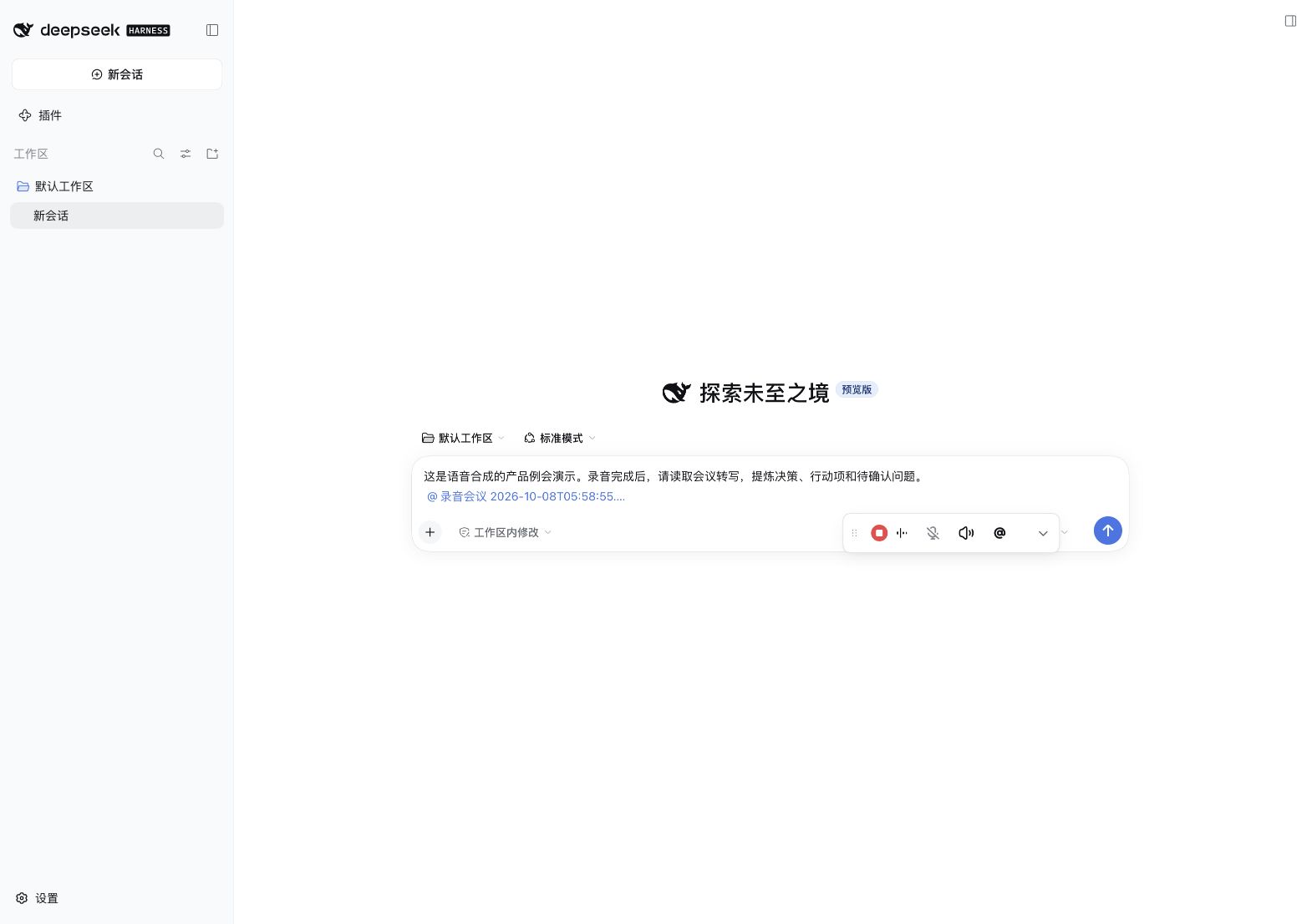
Expand the recorder
View elapsed time, track states and the live draft transcript. Expansion alone prepares models without capturing audio. Text during recording is provisional and may be revised.
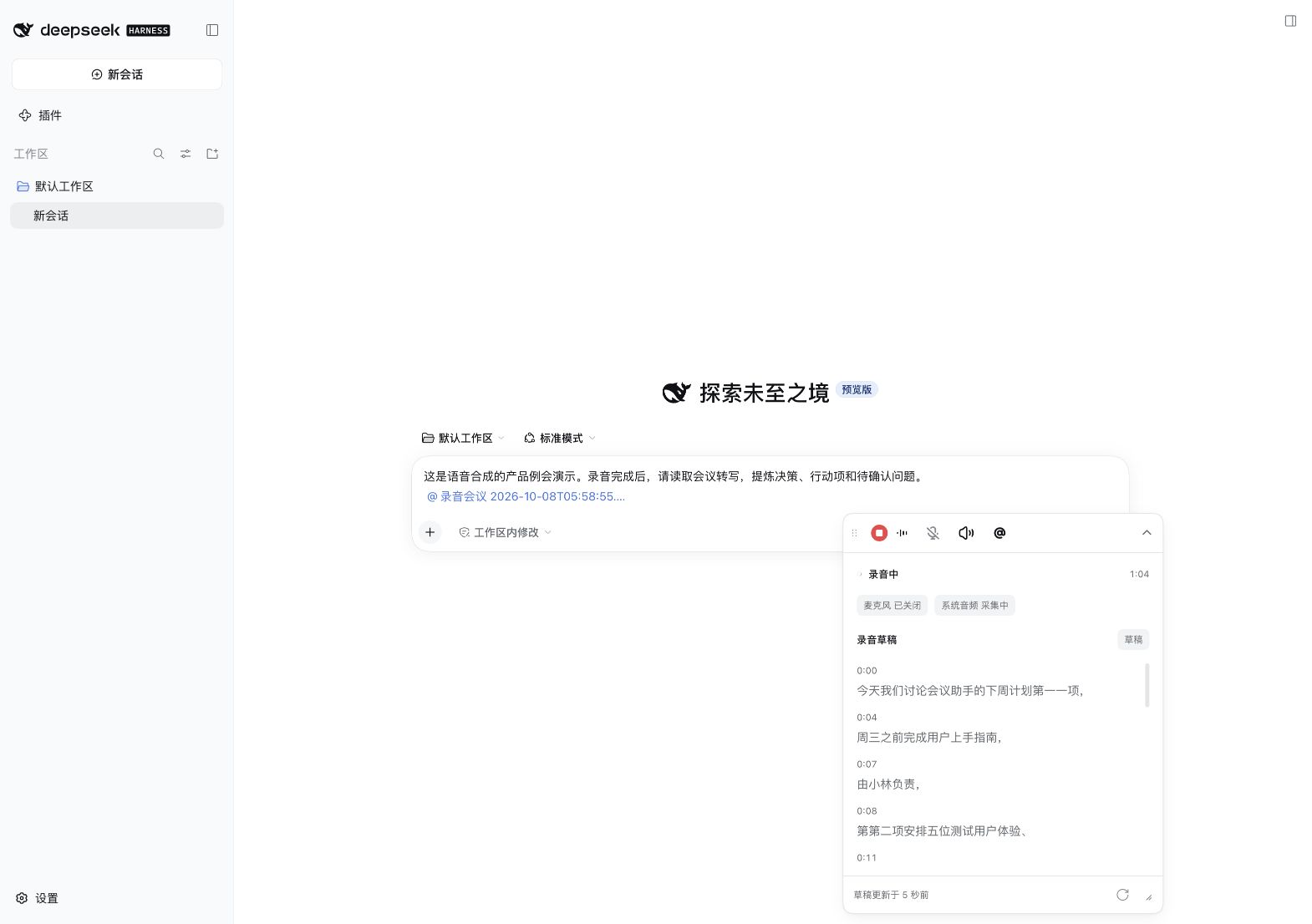
Request a summary while recording
Select the ongoing meeting with @ and send:
Read the current meeting draft. Summarize explicit decisions, action items and open questions so far.
Only include owners and deadlines that were actually stated. Do not infer names from speaker labels.
Mark this as an interim summary that may change while recording continues.
The model reads the current draft and produces a snapshot. Send another request when you want an update. It does not refresh continuously and is separate from the completed transcript.
See a summary generated while recording continues
Extract action items after transcription
Once the meeting finishes processing, reference it with @ and ask:
Read the complete transcript. List decisions, tasks, owners, deadlines and open questions.
Mark unstated owners or dates as unknown; do not fill them in.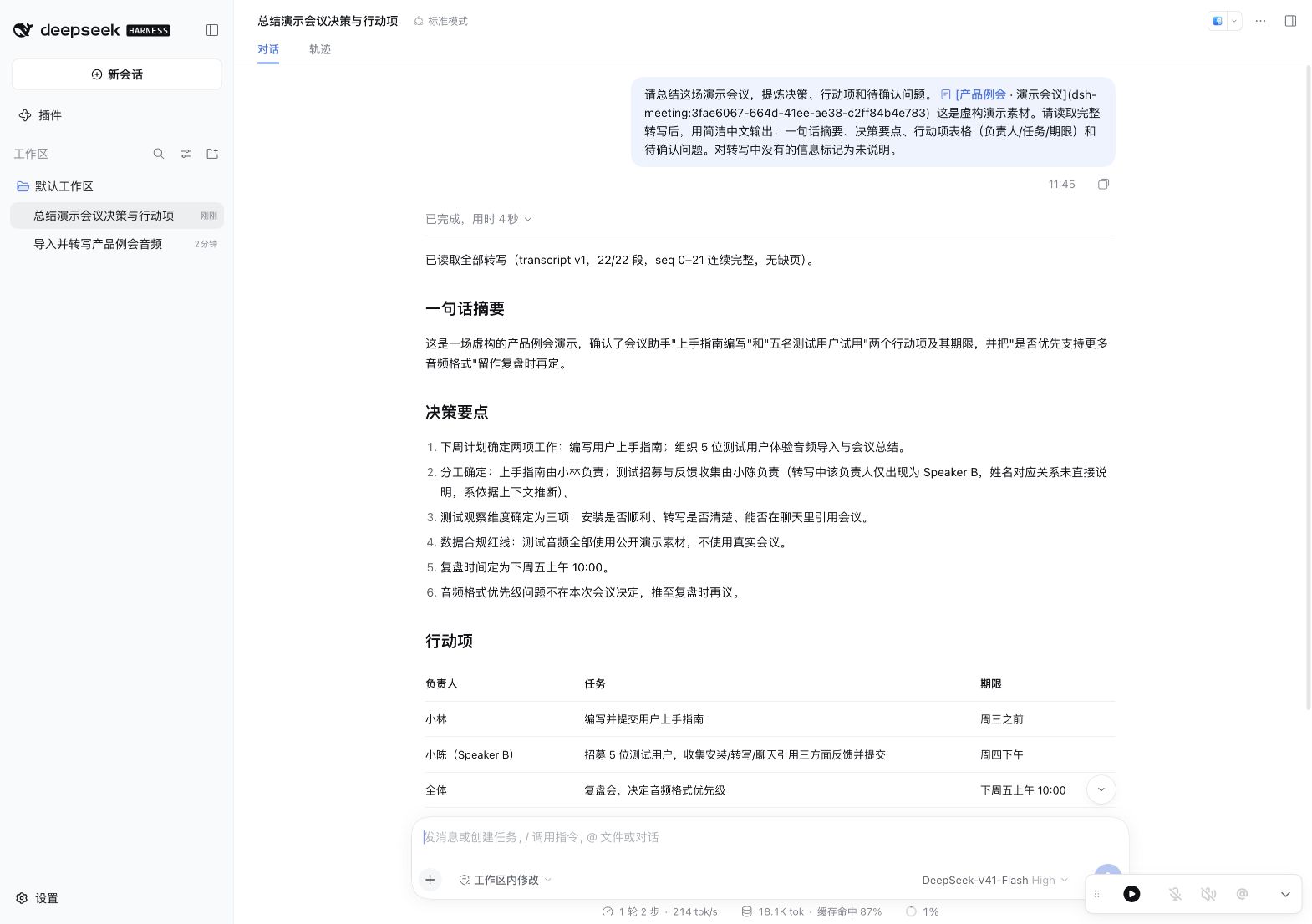
Review summaries against the transcript. Audio inference is local; this example sends the referenced transcript to the configured DeepSeek model for summary.
See screenshot details for the full gallery and evidence boundaries, or the official community showcase.