Local meeting transcription for DSH
Record meetings on your Mac, transcribe audio locally, then reference a meeting in DSH to summarize decisions and action items.
Apple Silicon macOS · Node.js 24 · Verified with DSH 0.2.0-rc.2
dsh plugin --profile web add --ignore-scripts @huliux/dsh-asr-plugin@0.1.2You can also install from the DSH Plugins page. Download the models in plugin settings before your first transcription.
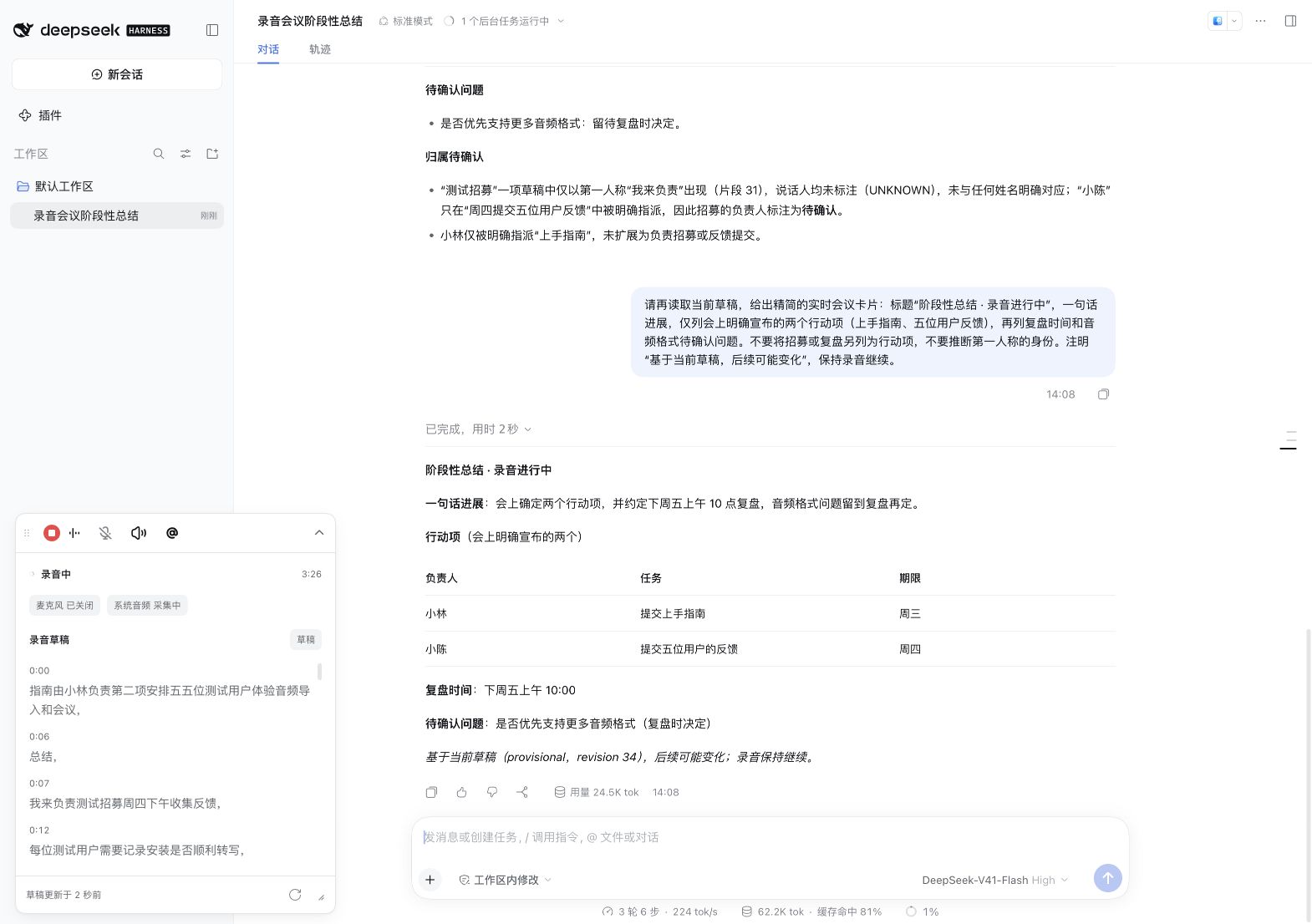
Summarize what has been said so far
While recording, use @ to select the current meeting and request a summary. Each request reads the live draft and produces an interim snapshot. Later transcription may revise it.
What you can do
- Record microphone audio, system audio, or both tracks.
- Import WAV, M4A and MP3 files for transcripts with timestamps and speaker labels.
- Reference a meeting in chat to extract decisions, tasks, owners and open questions.
See the recording and summary workflows
How data is processed
Audio inference runs locally after model preparation. Reading or summarizing a meeting with an online LLM sends the referenced transcript to the provider configured in DSH.
Windows, Linux and Intel Macs are unsupported. Speaker labels distinguish voices within a meeting; they do not establish personal identity.